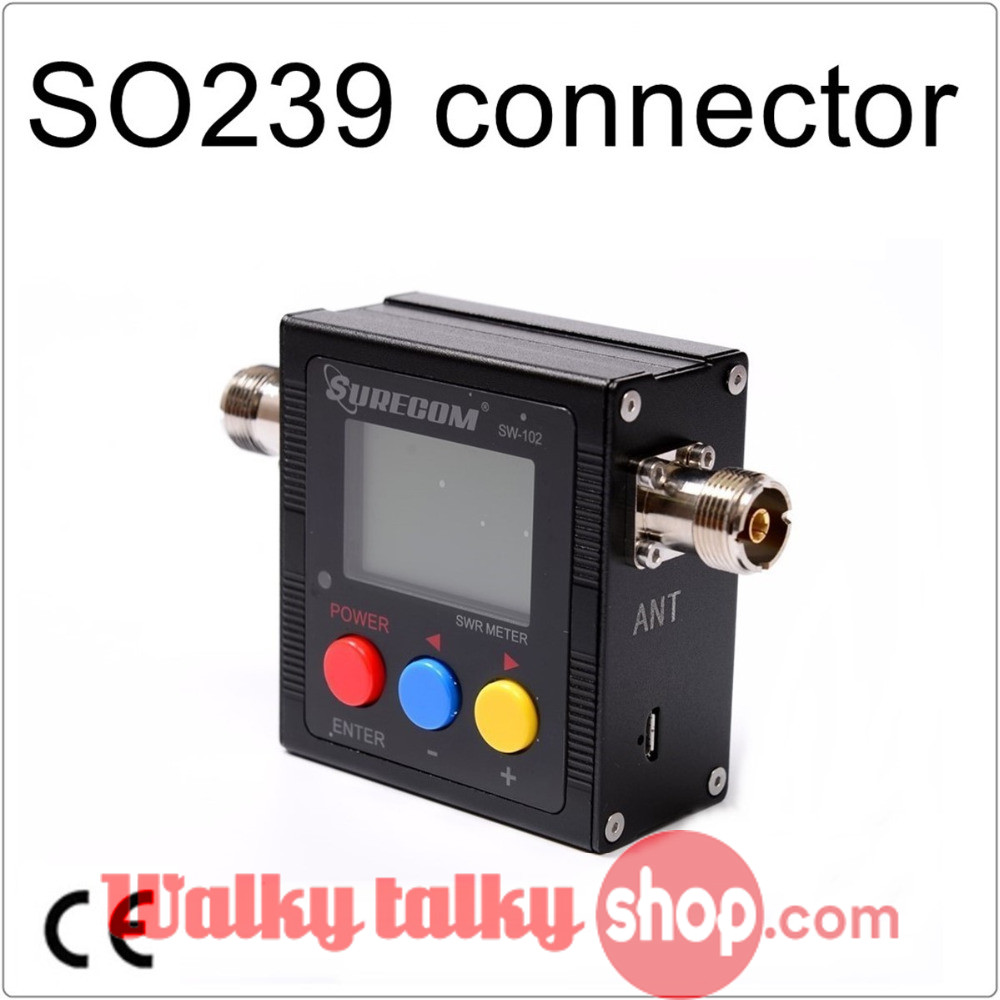
SURECOM SW-102 V.S.W.R. POWER METER WITH SO239 connector
$14.09
$18.46
SURECOM SW-102 V.S.W.R. POWER METER WITH SO239 connector V.S.W.R. meter Introduction VSWR. Forward and reflected power direct digital readout, without any calibration. Maximum measurable power range up to 120W. low insertion loss (0.3 decibels or less) structure allows it to be permanently connected. Build in Frequency counter . All Funtion display ( Frequency,Power , SWR,FW,RW,Battery Level) Feature & Specification Frequency range: 125MHz~525MHz Measurable power range: 1 – 120W( -0.5%) Input Frequency counter (min 0.5 W input) Maximum power: 120W Impedance: 50Ω Size: W 76 X H 77 X D35 mm. Weight: < 220 grams Battery : 3.7V Li-ion Rechargeable Battery * Not for the digital radio. Interface: SO239 Interface MAX. Power in 120 W (Measurable power,Radio must be ANALOG) V.S.W.R 1.00~19.9 Frequency Ranger COVER : 125MHz~525MHz Insertion Loss < 0.15dB(VHF) , < 0.25dB(UHF) Temperature 0~60 Frequency counter Yes ( TX input must be minimum 0.5W – 0.5%) Battery Voltage Display Yes Battery Build-in 600MAH Li-ion Battery Auto Power Off 1-9 mins Size 66*68*37 (mm) Charger in 5V (micro usb) Backlight AUTO OFF 1-9 mins Interface (in and out ) SO239 Weight 220g (include battery) Power ON/OFF: Press 2 second the [Red button] to power on or power off MENU Dispaly (Note: Version for up to V3.8) No. Mode Adj Default Setting Content 1 Adjustment Forward -99 to 99 0 Fine Tune Level % 2 Adjustment Reverse -99 to 99 0 Fine Tune Level % 3 Adjustment Time Base -99 to 99 0 Frequency Counter ,OSC Time Base 4 LCD DIM (Back Light Time) 0-9 1 “0” is always on, 1 min to 9 mins 5 POWER OFF 0-9 3 “0” is always on, 1 min to 9 mins * Supplier, the product will add functionality without having to give notice Set & Save: 1. Press MENU [Blue button] 2. Press F1 [Red button)(Select 1-5 Funtion) 3. Press [Blue button] ( – ), [Yellow button] ( ) 4. Press the [Red button ]for 2 seconds 5. Press the [Blue button] to SAVE and EXIT How to check the S.W.R. of your Antenna : Connect to “TX” on Radio output and Antenna to “ANT”. Proper adaptor/cable is required if your device has different type of connectors. Measurement V.S.W.R. : (see Pic.1) SW-102 TX connect Radio RF out SW-102 ANT connect Antenna device Radio TX , SW-102 with display S.W.R. measure data. How to check the Output Power Watt of your transceiver : Connect to “TX” on Radio output and dummy Load to “ANT”. Proper adaptor/cable is required if your device has different type of connectors. Measurement Power: (see Pic.2) SW-102 TX connect Radio RF out SW-102 ANT connect 50 ohm Dummy Load Radio TX , SW-102 display is Power measure data. Note: Damage your radio when Connect without Antenna and Dummy. Package Contents 1x SURECOM SW-102-S Power & SWR Meter 1x Power PSU 100-240V 1x Charger Cable 1x English Users Manual ***All Specifications are subject to change without notice*** Sale! Sale! Add to cart Get a Quote SWR Meter SURECOM SW-102 V.S.W.R. POWER METER WITH SO239 connector $115.00 Original price was: $115.00.$66.00Current price is: $66.00. Add to cart