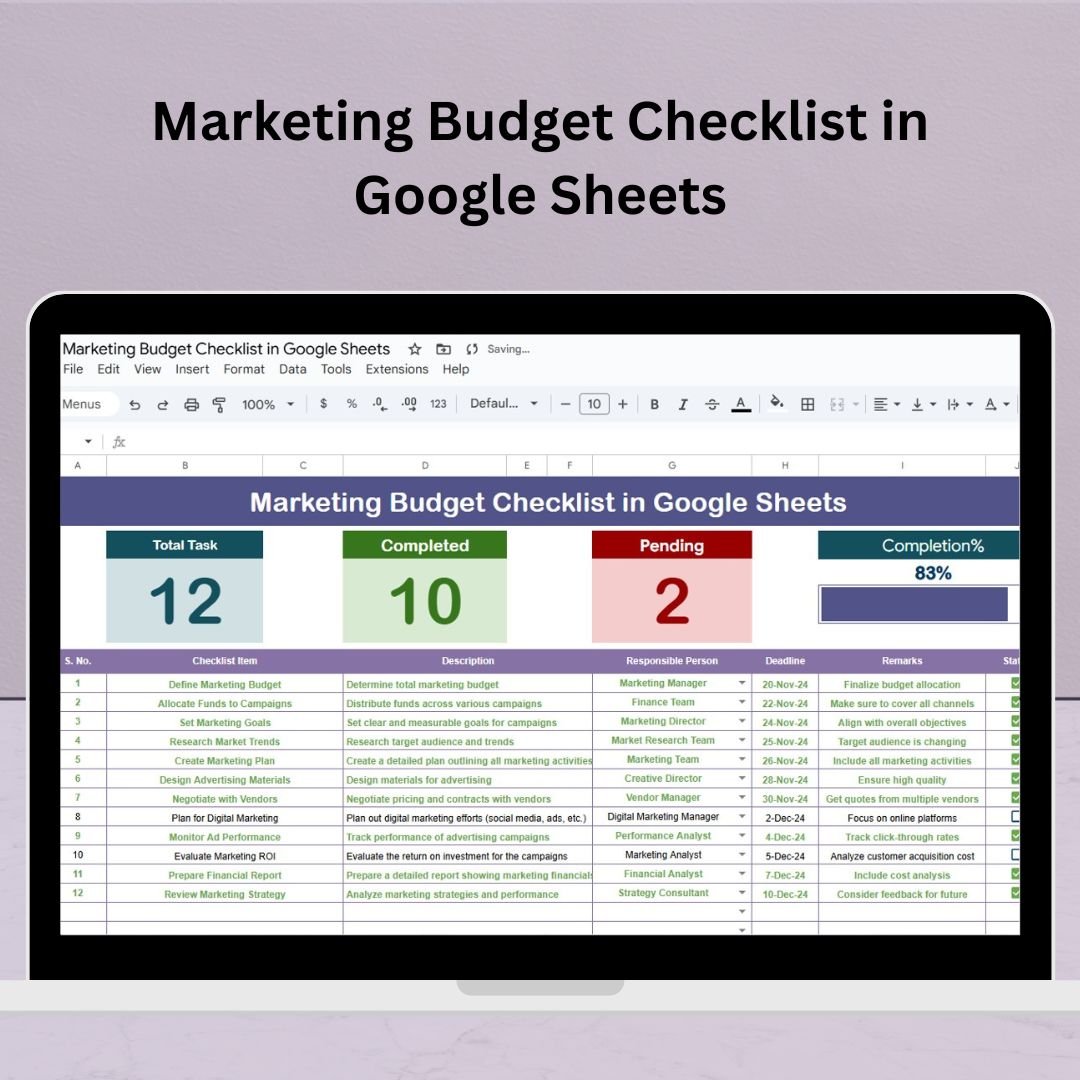
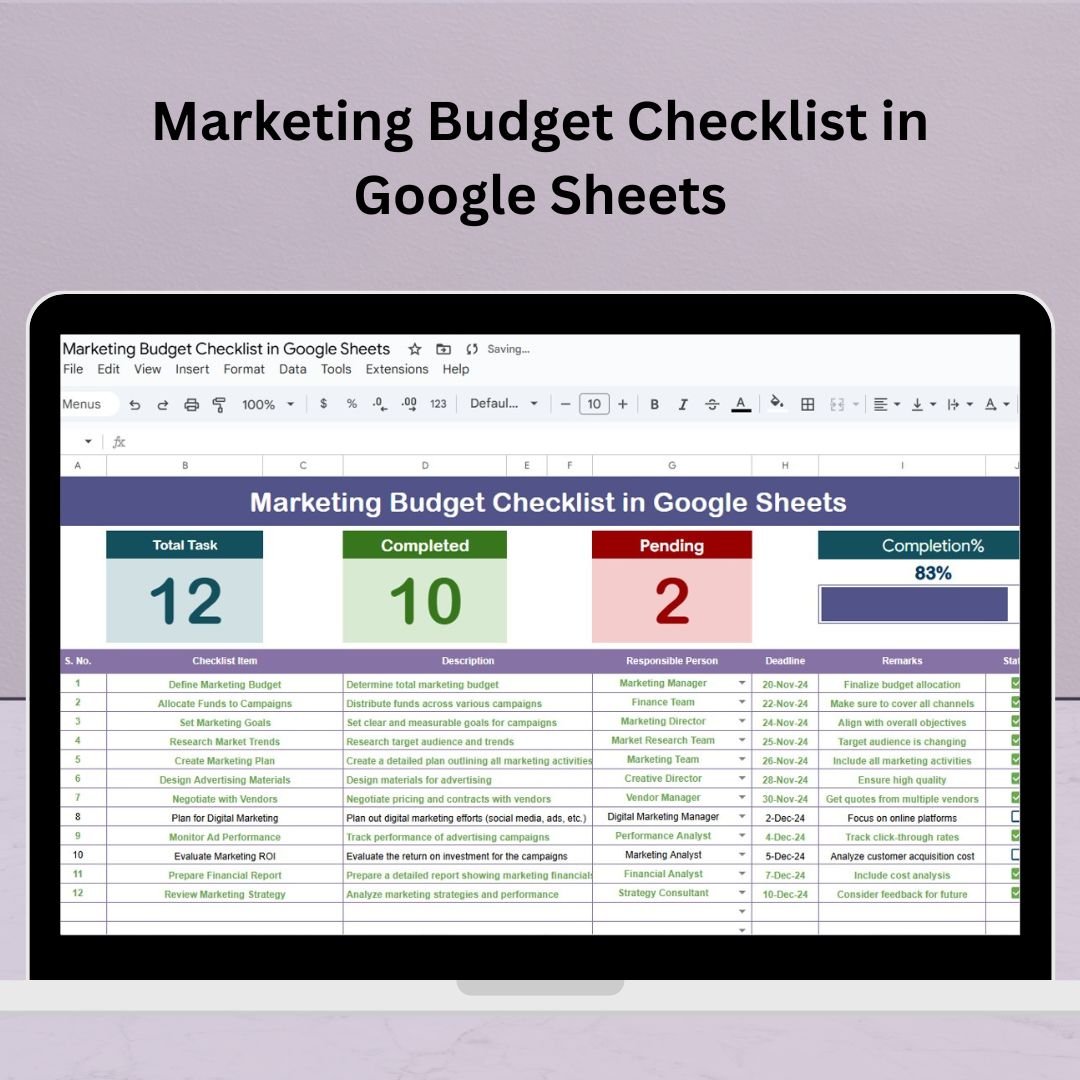
Plan, Track & Optimize Your Marketing Budget with This Simple Google Sheets Checklist! �� Managing a marketing budget doesn’t have to be chaotic. Whether you’re launching a new campaign, planning your annual strategy, or coordinating a product launch, our Marketing Budget Checklist in Google Sheets is the perfect planning companion. Designed for solo marketers, teams, and agencies alike, this ready-to-use Google Sheets template helps you break down marketing tasks, assign responsibilities, set deadlines, and track progress—all in one collaborative dashboard. Marketing Budget Checklist in Google Sheets ✨ What’s Inside the Marketing Budget Checklist Template? This template comes with 2 intuitive worksheet tabs that are built for simplicity, transparency, and collaboration: �� 1. Main Checklist Sheet Tab This is your central planning board. At the top section, you’ll find smart summary cards: ✅ Total Count – Tracks the total number of checklist items ✅ Completed Count – Auto-calculates items marked with a “✔” ✅ Pending Count – Highlights items still marked with a “✘” ✅ Progress Bar – Shows overall progress at a glance The main checklist table includes: Serial No. Checklist Item Description Responsible Person (Dropdown) Deadline Remarks Status (✔ or ✘) This layout ensures every marketing task and budget checkpoint is tracked properly with full team visibility. �� 2. List Sheet Tab This support sheet is used to manage the dropdown list for the “Responsible Person” column. Just enter names in one place, and the main sheet updates automatically. �� Why Use the Marketing Budget Checklist? ✅ Stay Organized: Clearly define every task from budget prep to final review �� Assign Roles: Everyone knows their responsibilities and deadlines �� Track Progress Visually: Use summary cards and progress bar for quick insights �� Collaborate in Real-Time: Ideal for remote teams and cross-functional groups ⚙️ Customize Easily: Add/remove tasks, adjust columns, or create versions per campaign �� Control Costs Better: Helps ensure all budget elements are covered and approved �� Opportunities for Improvement To scale your checklist even further, consider: Adding a priority column (High/Medium/Low) Creating a Gantt-style view using conditional formatting Adding email alerts with Google Apps Script Including links to supporting files (briefs, invoices, contracts) �� Best Practices ✔ Break down large budget tasks into smaller checklist items✔ Use consistent status markers (✔ and ✘) for automation✔ Filter by responsible person or deadline during review meetings✔ Review the checklist weekly to keep everything on track✔ Create a copy of the template for each campaign to track performance over time �� Ideal For: Digital marketers Small business owners Marketing teams Agencies Freelancers managing multiple clients Click here to read the Detailed blog post Watch the step-by-step video Demo: �� Visit our YouTube channel to learn step-by-step video tutorials Youtube.com/@NeotechNavigators


 Import UK
 Import Germany
 Import UK
 Import UK