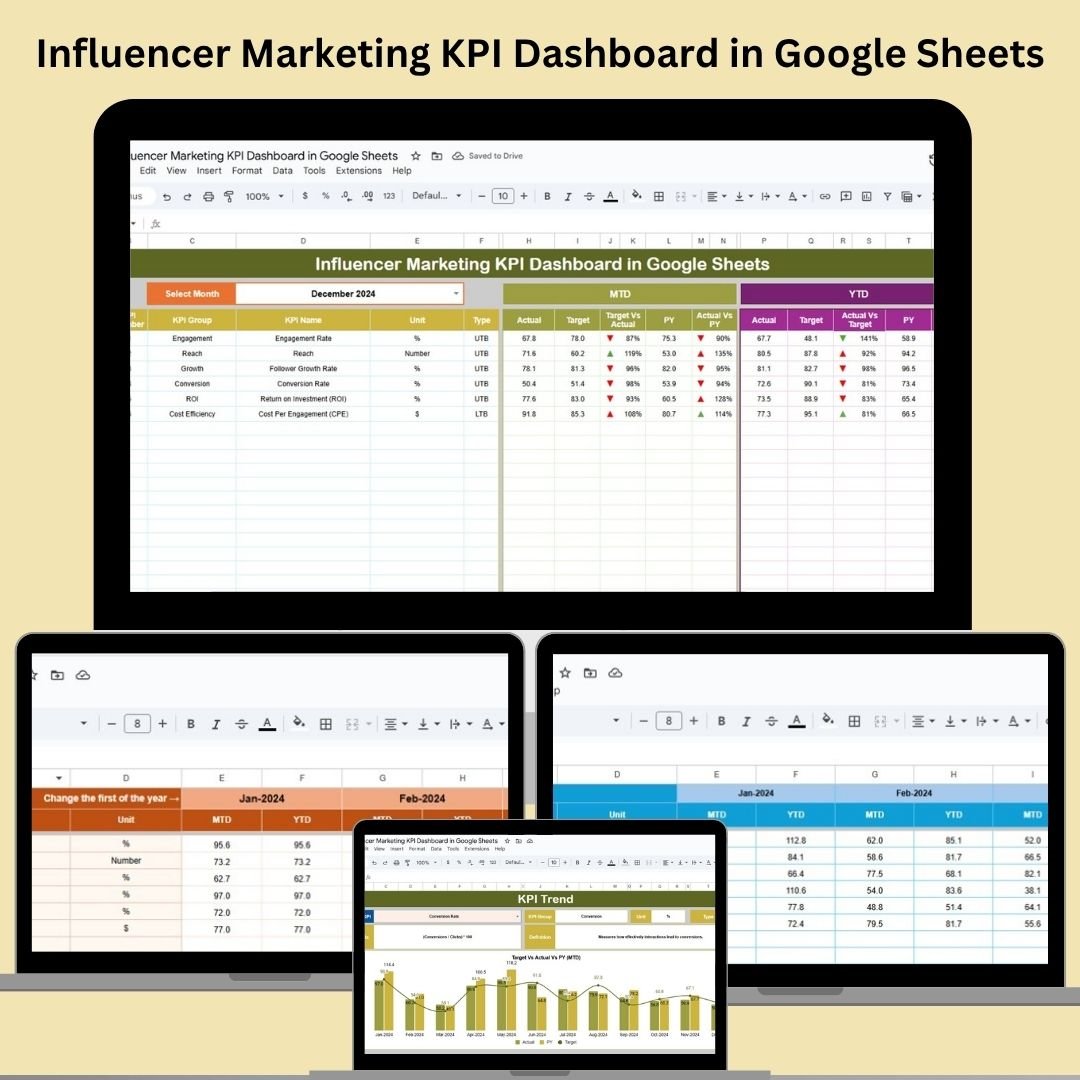
nfluencer marketing is powerful—but only if you can measure it. The Influencer Marketing KPI Dashboard in Google Sheets is a ready-to-use, fully customizable dashboard that helps you track, analyze, and optimize influencer campaigns in real-time. Whether you’re managing micro-influencers or large partnerships, this dashboard provides a complete performance snapshot—all in one place. Influencer Marketing KPI Dashboard in Google Sheets �� Key Features of the Influencer Marketing KPI Dashboard �� Dashboard Sheet TabGet a powerful summary of your influencer marketing results: �� MTD (Month-to-Date) and YTD (Year-to-Date) Actuals �� Target vs. Actual – Instantly see how campaigns are performing against your goals �� PY vs. Actual – Compare this year’s performance with the previous year using conditional formatting and arrows �� Month Selector – Pick any month from a dropdown and watch the dashboard update automatically �� KPI Trend Sheet TabTrack individual KPI trends over time: Choose any KPI using a dropdown View KPI Group, Unit, Type (UTB or LTB), Formula, and Description Spot trends early and act fast �� Data Input Tabs Actual Numbers Sheet – Enter MTD and YTD actuals by KPI Target Sheet – Set your performance goals for both MTD and YTD Previous Year Sheet – Log historical performance for year-over-year comparison �� KPI Definition Sheet Tab A complete reference for all KPIs used in the dashboard Fields include: KPI Name, Group, Unit, Formula, and Definition �� What’s Inside the Dashboard? You’ll receive six interconnected sheets, all fully editable and dynamic: Dashboard Sheet – Interactive summary of campaign performance KPI Trend Sheet – Visualize metric trends over time Actual Numbers Sheet – Enter current campaign data Target Sheet – Input your monthly and yearly performance goals Previous Year Sheet – Store and compare last year’s campaign data KPI Definitions Sheet – Quick reference to understand what each metric means The entire dashboard updates automatically as you input data—no formulas or technical skills required. �� How to Use the Influencer Marketing KPI Dashboard 1️⃣ Set KPIs – Define your goals in the Target Sheet2️⃣ Log Performance – Enter MTD and YTD numbers into the Actual Sheet3️⃣ Select Month – Choose a reporting month and see metrics update instantly4️⃣ Analyze Performance – View results against goals and previous year’s benchmarks5️⃣ Optimize Campaigns – Use the KPI Trend tab to make data-driven improvements This dashboard turns raw metrics into meaningful insights you can act on. �� Who Can Benefit from This Dashboard? �� Social Media Managers – Track influencer ROI and engagement rates�� Marketing Teams – Evaluate campaign effectiveness and optimize targeting�� Agencies – Present clean reports to clients�� Freelance Consultants – Show clear campaign impact with real-time dashboards�� Startup Founders & Ecommerce Brands – Understand what’s working and scale smarter Whether you’re working with 3 influencers or 300—this dashboard keeps you in control. �� Why You’ll Love This Google Sheets Template ✅ Easy-to-use, no setup required✅ Auto-updating performance indicators✅ Clear visuals and color-coded trends✅ Fully editable to match your campaign needs✅ Ideal for team collaboration or client reporting✅ 100% Google Sheets—accessible anywhere Streamline your influencer tracking process today. �� Click here to read the Detailed blog post Click here to read the Detailed blog post Watch the step-by-step video Demo: �� Visit our YouTube channel to learn step-by-step video tutorials Youtube.com/@NeotechNavigators


 Import UK
 Import Germany
 Import UK
 Import UK