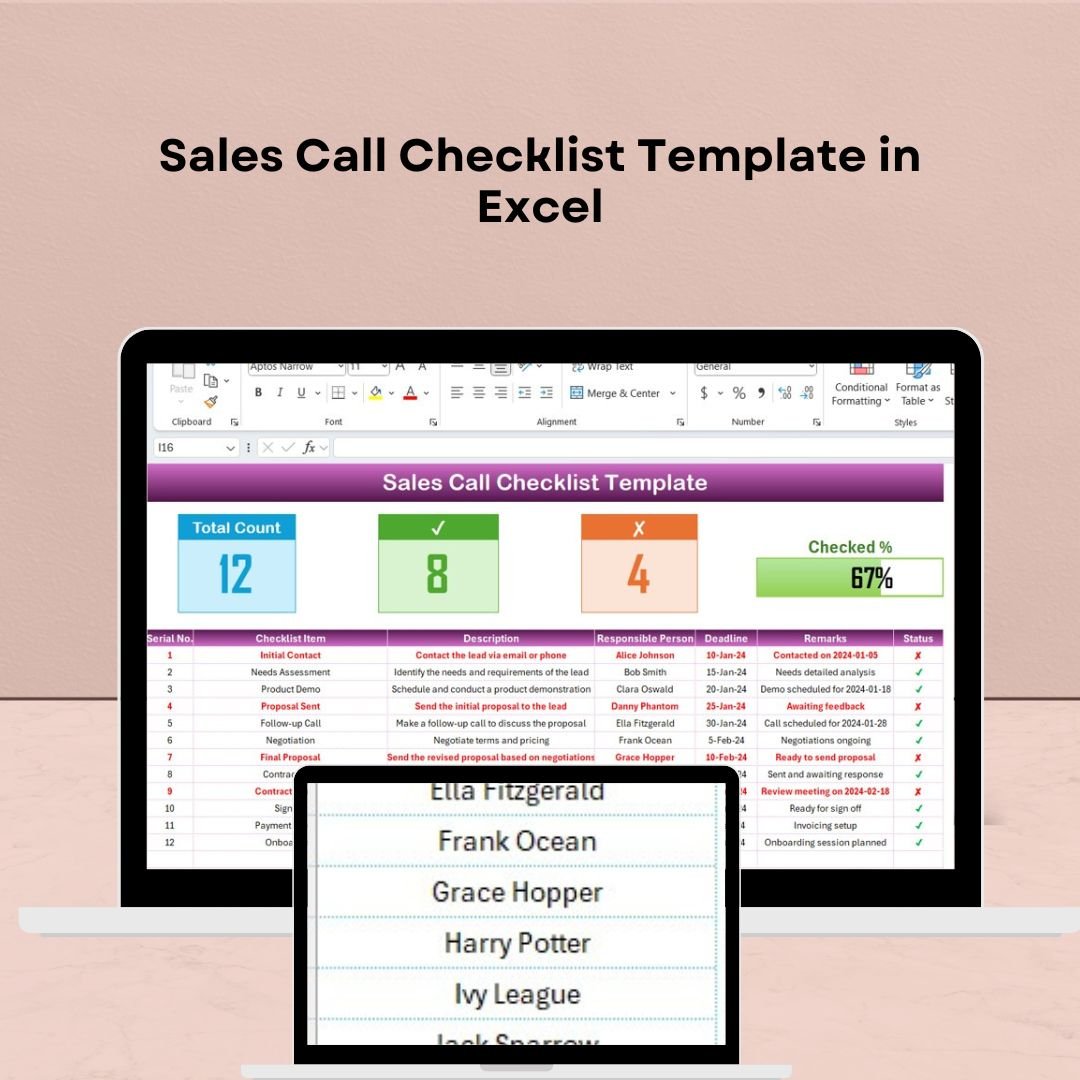
The Sales Call Checklist Template in Excel is an essential tool for sales professionals, teams, and managers to ensure that every sales call is organized, focused, and effective. Whether you’re making cold calls, follow-ups, or closing deals, this checklist helps you stay on track and capture all the necessary details to maximize the effectiveness of each call. This Excel-based template allows you to track important information such as call objectives, customer responses, key discussion points, and follow-up actions. By using this checklist, you can improve your sales process, increase your conversion rates, and ensure no critical information is missed during each sales interaction. sales call checklist Key Features of the Sales Call Checklist Template in Excel �� Comprehensive Call TrackingKeep track of all important details during your sales call, including customer information, call objectives, key discussion points, and any action items that need to be followed up on. �� Call Objective TrackingSet clear objectives for each sales call. Whether you’re aiming to schedule a demo, close a deal, or follow up on a previous conversation, this feature helps you stay focused and organized. �� Follow-up Actions & Next StepsDocument follow-up actions at the end of each call. Ensure you’re always prepared for the next step, whether it’s scheduling a meeting, sending additional information, or closing the sale. �� Time-Based TrackingTrack call dates, times, and follow-up deadlines. This ensures that you’re always prepared for upcoming actions and prevents any delays in your sales process. �� Sales Call Analysis & ReportingUse the data captured during each sales call to analyze your overall performance. Track how many calls you’ve made, the outcomes of those calls, and where you can improve. ⚙️ Customizable & ScalableAdapt the checklist to suit your specific sales process. Add custom fields, adjust categories, and tailor the template for different types of sales calls or customer profiles. Why You’ll Love the Sales Call Checklist Template in Excel ✅ Stay Organized & EfficientWith all call details stored in one place, you can stay organized, reduce errors, and ensure that every sales call is effective and results-driven. ✅ Increase Conversion RatesTrack call objectives, discussions, and follow-ups to increase your chances of closing deals. Use the insights to improve your sales pitch and strategy. ✅ Maintain Consistency Across CallsEnsure consistency in how calls are conducted. Whether you’re making your first call or a follow-up, this checklist helps you follow a proven process every time. ✅ Boost Follow-Up EfficiencyKeep track of follow-up actions and deadlines, ensuring you never miss a step in your sales cycle and can follow through on all leads and prospects. ✅ Customizable for Your NeedsTailor the checklist to fit your company’s specific sales process. Add or remove fields as necessary to match your objectives and customer profile. What’s Inside the Sales Call Checklist Template in Excel? Comprehensive Call Tracking: Document key details such as call objectives, customer responses, and action items. Call Objective Tracking: Define clear objectives for each sales call. Follow-Up Actions & Next Steps: Track follow-up actions and next steps after each call. Time-Based Tracking: Record call dates, times, and deadlines for follow-up. Sales Call Analysis & Reporting: Track your performance and generate insights for improvement. Customizable Fields: Adjust the checklist to your specific sales process and needs. How to Use the Sales Call Checklist Template in Excel 1️⃣ Download the Template: Access the Sales Call Checklist in Excel instantly.2️⃣ Set Call Objectives: Define what you want to achieve during each call (e.g., scheduling, closing, follow-up).3️⃣ Track Key Discussion Points: Record key information and customer responses during the call.4️⃣ Document Follow-Up Actions: After the call, note the follow-up actions and any next steps.5️⃣ Analyze & Improve: Use the captured data to analyze call performance, identify trends, and refine your sales strategy. Who Can Benefit from the Sales Call Checklist Template in Excel? �� Sales Professionals & Representatives�� Sales Managers & Team Leaders�� Business Development Teams�� Customer Relationship Managers�� Small & Medium Enterprises (SMBs)�� Sales Trainers & Coaches�� Enterprises with Sales Teams Stay organized, efficient, and prepared for every sales call with the Sales Call Checklist Template in Excel. Track key details, follow-up actions, and performance metrics to boost your conversion rates and streamline your sales process. Click here to read the Detailed blog post Visit our YouTube channel to learn step-by-step video tutorialsYoutube.com/@PKAnExcelExpert


 Import UK
 Import Germany
 Import UK
 Import UK