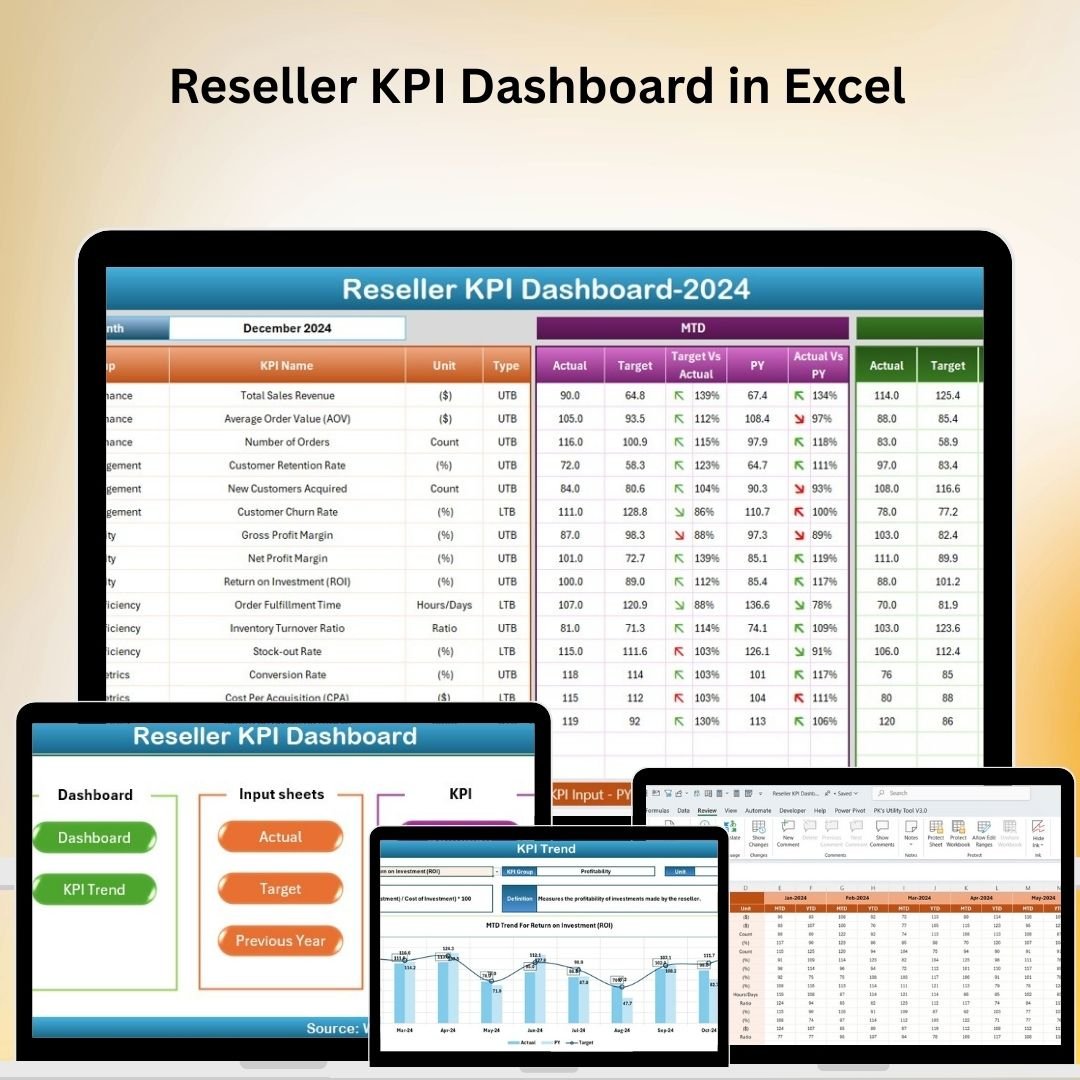
The Reseller KPI Dashboard in Excel is a powerful tool designed to help businesses track, analyze, and optimize the performance of their reseller network. Whether you’re managing a large group of resellers or just a few key partners, this Excel-based dashboard provides key insights into reseller sales performance, commissions, stock levels, and overall contributions to your business. With this KPI dashboard, you can easily monitor sales growth, identify top performers, evaluate stock management, and ensure that resellers are meeting their targets. The customizable nature of the dashboard makes it adaptable to your specific business needs, giving you full control over the performance metrics that matter most. Key Features of the Reseller KPI Dashboard in Excel �� Sales Performance MonitoringTrack key sales metrics such as total sales, average order value, and sales growth across different resellers. Identify high-performing resellers and areas where additional support may be needed. �� Commission TrackingMonitor commission payouts based on reseller sales. The dashboard tracks commissions, ensuring that payments are accurate and timely for each reseller, eliminating discrepancies and disputes. �� Stock & Inventory ManagementKeep an eye on stock levels for each reseller. Track which resellers need stock replenishments and identify those with high stock turnover, ensuring that you maintain adequate inventory to meet demand. �� Target vs Actual PerformanceSet targets for individual resellers or reseller groups and track their progress. Compare actual sales against targets to identify performance gaps and opportunities for improvement. �� Real-Time Data IntegrationIntegrate real-time sales data and other relevant information to keep the dashboard up to date. Use this live data to make informed decisions and track reseller performance accurately. ⚙️ Customizable KPIs & ReportsEasily customize the dashboard to include any KPIs that are important for your business. Adjust sales targets, commission structures, or add new performance metrics as needed. Why You’ll Love the Reseller KPI Dashboard in Excel Reseller KPI Dashboard ✅ Monitor Reseller Performance in Real TimeGet immediate insights into your resellers’ sales performance, inventory needs, and commission status, all from one easy-to-use dashboard. ✅ Optimize Stock LevelsEnsure that your resellers have the right inventory levels to meet demand and improve order fulfillment by monitoring stock turnover and reorder points. ✅ Improve Sales & Commission TransparencyWith automated commission tracking, you can easily ensure that commissions are calculated correctly and that payments are made on time, leading to better relationships with your resellers. ✅ Data-Driven Decision MakingMake data-driven decisions to improve reseller performance, offer targeted support, and drive better sales results based on detailed, up-to-date insights. ✅ Customizable & ScalableAdapt the dashboard to fit your business size and needs. Whether you’re managing a few resellers or hundreds, this dashboard is flexible enough to scale with your operations. What’s Inside the Reseller KPI Dashboard in Excel? Sales Performance Monitoring: Track total sales, growth, and performance metrics for each reseller. Commission Tracking: Monitor commission payments for accurate and timely payouts. Stock Management: Keep track of stock levels and reorder points for resellers. Target vs Actual Performance: Set sales targets and monitor reseller progress against them. Real-Time Data Integration: Sync data with other business systems for up-to-date insights. Customizable KPIs & Reports: Tailor the dashboard to reflect your unique business metrics. How to Use the Reseller KPI Dashboard in Excel 1️⃣ Download the Template: Instantly access the Reseller KPI Dashboard in Excel.2️⃣ Input Reseller Data: Add key information such as sales figures, commission rates, and stock levels for each reseller.3️⃣ Track KPIs & Performance: Monitor sales, commissions, and stock data in real time.4️⃣ Analyze Performance Gaps: Compare actual sales to set targets and identify improvement opportunities.5️⃣ Optimize Reseller Support: Use the insights to adjust support strategies, improve inventory management, and drive higher sales. Who Can Benefit from the Reseller KPI Dashboard in Excel? �� Reseller & Distribution Managers�� E-commerce Businesses with Reseller Networks�� Supply Chain & Inventory Management Teams�� Sales Managers & Business Owners�� Financial Teams Monitoring Commission Payouts�� Large Enterprises & Small to Medium-Sized Businesses (SMBs) Optimize your reseller network performance with the Reseller KPI Dashboard in Excel. Track sales, commissions, stock levels, and targets all in one place to improve your business operations and reseller relationships. Click here to read the Detailed blog post Visit our YouTube channel to learn step-by-step video tutorialsYoutube.com/@PKAnExcelExpert


 Import UK
 Import Germany
 Import UK
 Import UK